


What can this sound converter software do?
- Convert audio files between various audio formats;
- Join separated audio tracks into a bigger one;
- Well-defined presets to control the quality precisely;
- Convert between Mp3, Wav, Wma, Ogg formats.;
- Batch convert large numbers of files with one click
Have many audio files that need to be converted to other usable audio formats? SoundTaste Audio Converter is what you are looking for! This program is a professional, fast and easy-to-use audio conversion utility to help you convert many audio files in batches with high speed and excellent quality. It also enables you to merge multiple audio files together into a bigger one only within just a few clicks.
Convert and join audio fast & easy.
Need to convert sound files between popular audio formats? SoundTaste Audio Converter could be the right one! It converts your audio files to MP3/WAV/WMA/OGG with super high speed. Well-defined presets and detailed configuration parameters are provided for users to get precise output quality. The user-friendly interface guides you to operate without hassle.
Convert & Join Audio
This powerful audio converter enables you to convert, combine, join or merge multiple audio files to the most popular audio formats MP3/WAV/WMA/OGG to play on your player with no quality loss! You can always find a compatible audio format for your devices. Joining many separate music tracks into a non-stop audio CD is no difficulty.Output Settings
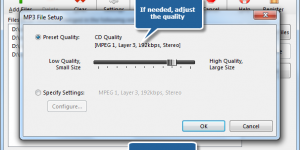
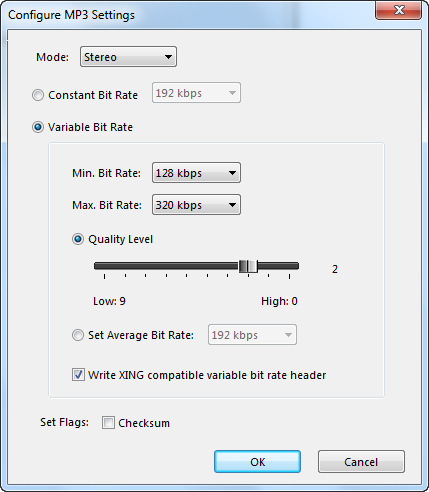
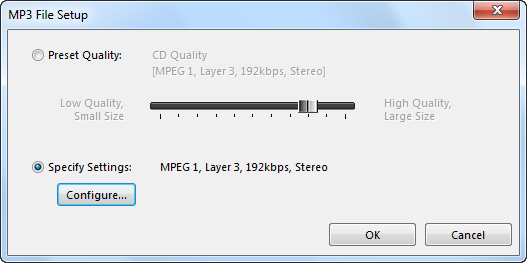
SoundTaste Audio Converter provides both well-defined presets and specifiable settings for customers. With its profile setting parameters, you can adjust a range of configuration parameters to customize your output quality with ease. You can also set the output mode, bit rate, quality level, etc. to improve the output quality. Both novices & advanced users can get precisely what they want.Fast Conversion
The multicore CPU support makes the conversion speed much faster than ever. You can save half the time to convert a video file in the same size. Also, batch conversion helps you convert dozens of files without waiting for each conversion to finish.Ease of Use
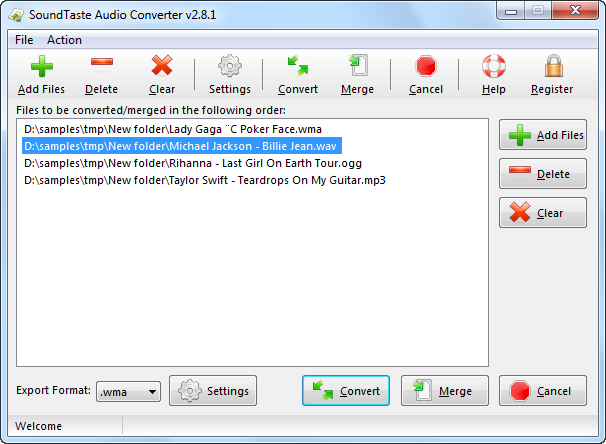
The understandable UI makes everything simple. With tutorial instruction, even beginners can do the conversion without troubles. Also, the advancers can select precise settings with well-defined presets to meet their demands in just few clicks.Expert reviews on MEF software
Find out what leading industry experts are saying about SoundTaste Audio Converter

Computer Buyerz
Neat and simple interface
allows you to enjoy working with audio files without frequently
consulting with the reference materials. Once you get started
you will be surprised at how simple it is to convert audio files.
All the tag information that carries the details about the album
artist, etc. can be easily transferred from the source to the
destination file. Conversion is done in a batch.


PC World Reviewed
You can't play all your
favorite music on your media player because it doesn't support
all formats. You need to have music file in the format which
your music player supports. That's what SoundTaste Audio Converter
is for - you can perform conversion of your music to MP3, WMA,
WAV and OGG. If you are an experienced user, just configure
the quality parameters as needed; if not, using the presets
provided could be a good idea.


Freetrialsoft 5 Star
SoundTaste Audio Converter
is a very useful program to convert your audio file without
compromising on quality. The conversion happens on-the-fly meaning
that you do not need to convert first to an intermediate format
at all. The tool is Windows 7 compatible for both 32 and 64
bit versions. Every audio enthusiast could use a tool like this!


Ivertech 5 Star Award
Well, we think it's
best to keep it simple and pick something that focuses on a
basic function, without trying to be a multi-purpose application.
This is why we decided to direct our attention to the SoundTaste
Audio Converter. It's pretty fast and you will be pleasantly
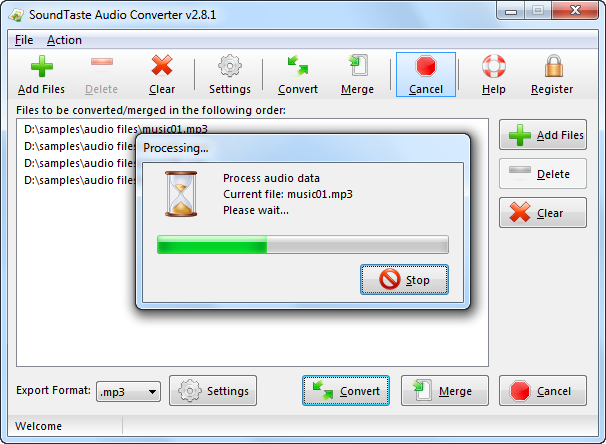
surprised at how easy it is to work with. The progress bar indicates
clearly how much of a batch has been converted and how the conversion
on the current one is progressing. If you really want something
that works and does its job, then you might want to consider
giving SoundTaste Audio Converter a spin.

Read what our customers say about SoundTaste Audio Converter:
Absolutely Works As Advertised! SoundTaste Audio Converter installed effortlessly converts a large amount of audio files with different formats at one time only few minutes.
Barrett Johnson - User since 2008
I've tried out a ton of different audio converters from free to expensive. Repeatedly, I found too steep a learning curve. Finally, I found SoundTaste Audio Converter - a simple but powerful audio converter. It is very easy to understand for a novice like me. What's more, with the well-defined presets & parameters adjustment, I can adjust the output quality easily.
Richmond Robeson - User since 2011
Your software is very powerful in audio conversion. I like the snappy and user-friendly interface which guides me to find buttons quickly. I highly recommend this product to anyone who's looking for a special audio converter program that really gives them more bangs for their buck!
Euphemia - User since 2007
My brother got gigs of audio in WMA format and I tried dozens of audio converters to turn them to MP3 for my player. SoundTaste Audio Converter does the WMA to MP3 conversion well. This tiny utility is really awesome! It is exactly what I want to have on my laptop for audio conversion!
Jesse Brome - User since 2009