Do you get some audio files that are not appropriate in sample rate and channel? Just fix them with Music Editor Free, which will help resample all your audio files for various usages. This post will show you how to resample audio files with our free music editor software.
How to Resample Audio Files
Step 1. Input an audio file
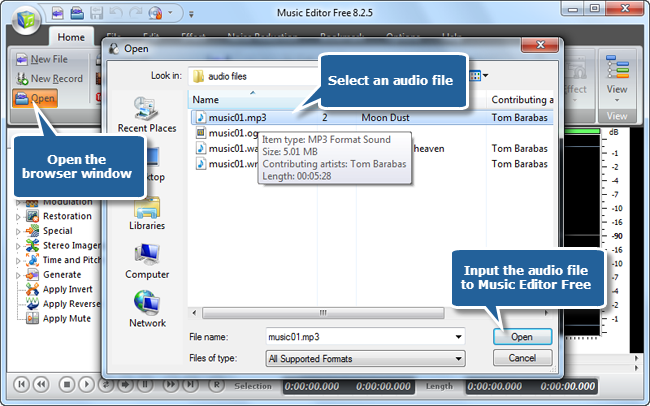
To resample audio files, launch Music Editor Free, click “Open” to input an audio file to the program.
Step 2. Open resample setting window
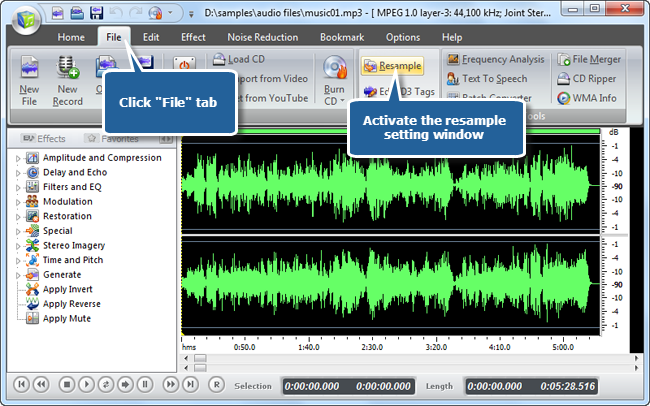
Click “File” and click “Resample” button to open the settings window for quality adjustment.
Step 3. Choose a sample rate & channel and Resample Audio
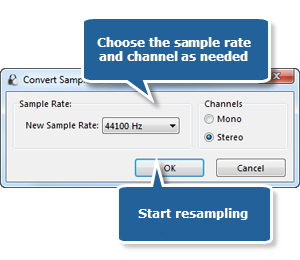
Choose a sample rate and channel as you want. Click “OK” and the program will begin to resample audio. It will rapidly finish resampling. Now you can output the file for various usages.