Music Editor Free - Burn & rip CD
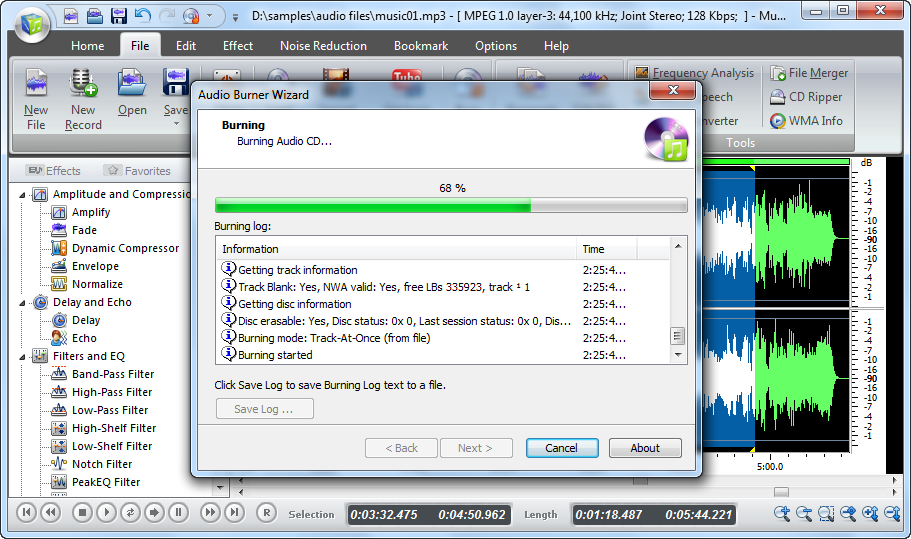
With the Audio CD Burner of MEF, you can easily burn your own customized mix CDs for your listening enjoyment, to give as gifts, to use with your aerobics class, or to sell.
After you add audio files to the burning list, you can remove one or all music files by "Remove/Remove All" button; change the sequence of the listed audio files by dragging them to the defined position; use CD-Text to edit title & artist text and view total tracks duration.
Following the burning wizard, you can choose the burning mode and the appropriate burning speed. You can use "Test Mode" to simulate burning to check if there are errors.
With the Audio CD Ripper of MEF, you can extract digital audio tracks directly from audio CDs to most popular audio formats as MP3, WAV, WMA, WMV and OGG in perfect digital quality.
After you insert an audio CD to the disc drive and run the ripper program. All the available tracks will be listed & you just check any one you want. You can also choose one of the compression types from the available templates to fulfill your needs.
1. Burning Mode & Speed
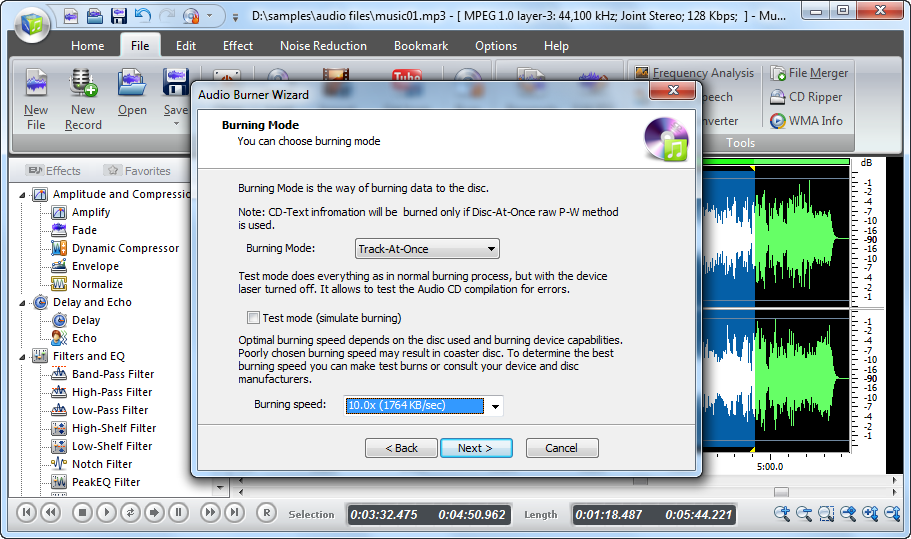
There are several burning modes (including test mode) and
burning speed to choose.
What benefits can I expect?
Music
Editor Free is for fast & free editing and recording. You will
find all the features convenient to use, even for beginners
in audio creation.
- Zoom in & zoom out the waveform of a selected region for professional analysis
- Edit audio files by adding audio effects such as fade in, fade out, echo, etc. to create professional music
- Reduce noise in your audio to delete the sound of clicks, pops, cracks, clunks, squeaking and grinding to make a sweetening song to take part in a match
- Record songs sung by yourself to make as a cellphone ringtone
- Record the music which passes on a radio in streaming
- Record any type of audio file or media such as records, tapes, music CDs, radio, eBooks, DAT, Mini-Disc, DVD or video tape sounds
- Redesigned music files properties by renaming files based on the tag information, replacing characters or words in tags and filenames
- Use Text-to-Speech to insert a section of synthetical speech to your music to meet your special demands
- Get all your audio needs, including converting, burning, recording, etc.
Why should I choose Music Editor Free?
There
are thousands of audio editor programs out there, free ones
and paid ones. Here are some reasons why you should be users
of Music Editor Free:
- Edit music visually
- Provides multiple editing options and audio effects
- Supplies the function of recording
- Well-predefined output settings and configuration parameters adjustment are provided
- Lossless output quality
- Multi-core processor supported
- Adware, Spyware or Malware free
- Drag-and-drop simplicity provided
- Super-fast media conversion technology to save your time
- Fast and efficient operation
- Graphical user interface
- Reliable technology is provided
What are the system requirements?
Minimum:
- Intel Pentium 3 500MHz or equivalent processor
- At least 256 MB RAM
- 200 MB free hard disk space
- Graphics mode 800x600, 16-bit colour
- Internet Explorer 6
- Microsoft Windows XP / Vista / 7
Recommended:
- Intel Pentium 4 1GHz or equivalent processor
- 512 MB RAM
- Minimum 200 MB free hard disk space (since space is also needed to download drivers)
- Graphics mode 1024x768 true color (highest 32-bit)
- Internet Explorer 7
- Microsoft Windows XP / Vista / 7