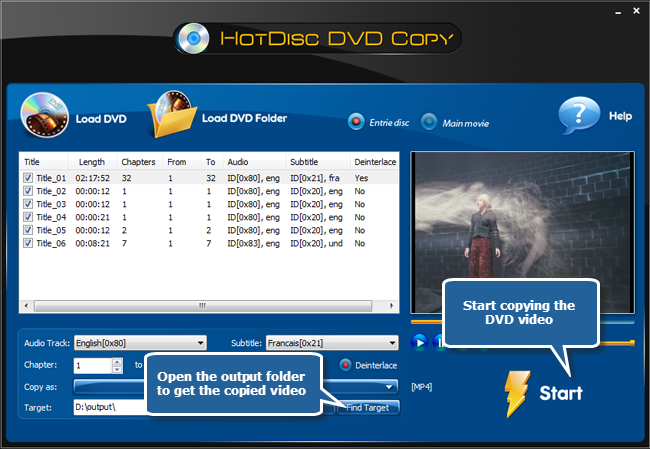
HotDisc DVD Copy is an easy and powerful DVD ripping tool to rip and convert DVD discs to almost all video and audio formats to help you enjoy them at your fingertips! It provides you many well-configured presets parameters for output quality adjustment. With the intuitive interface, you can easily find every buttons to rip your video DVDs and then enjoy your customized videos with your friends. This tutorial will show you How to Rip Video DVD with best DVD ripper software.
Download the HotDisc DVD Copy through the link below and Save the file to your desktop:
How to Rip Video DVD
Step 1. Load DVD videos
To rip video DVD, launch HotDisc DVD Copy first and insert a video DVD to the disc driver. Click “Load DVD” or “Load DVD Folder” to load the video to the task window.
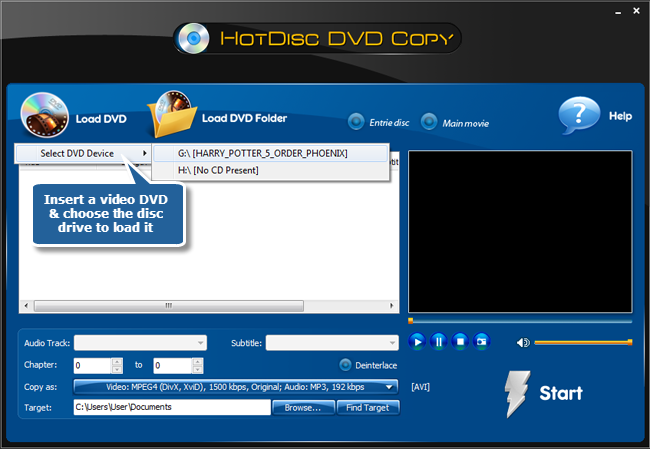
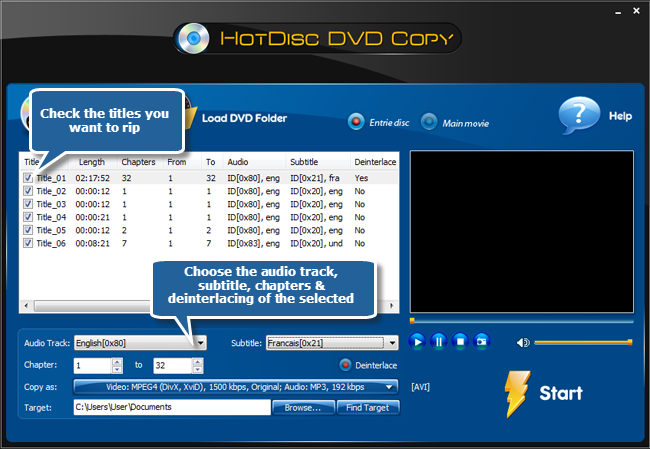
Step 2. Choose titles to rip
Then, the available titles of the disc will be displayed in a title list. Choose titles from the list as needed. If required, you can deinterlace the video. Select Chapter of the title to rip. You are also allowed to chooseAudio Track & Subtitle or disable them as needed.
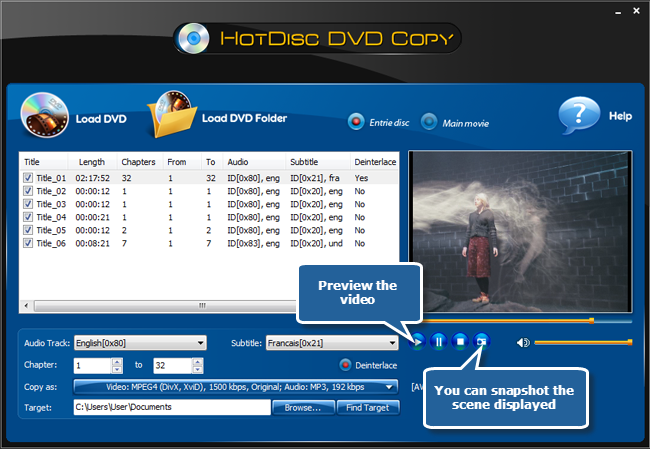
Step 3. Preview DVD video
You can preview the whole DVD or the selected title with our built-in DVD player. It also enables you to take a snapshot of the scene displayed.
Step 4. Specify output format & quality
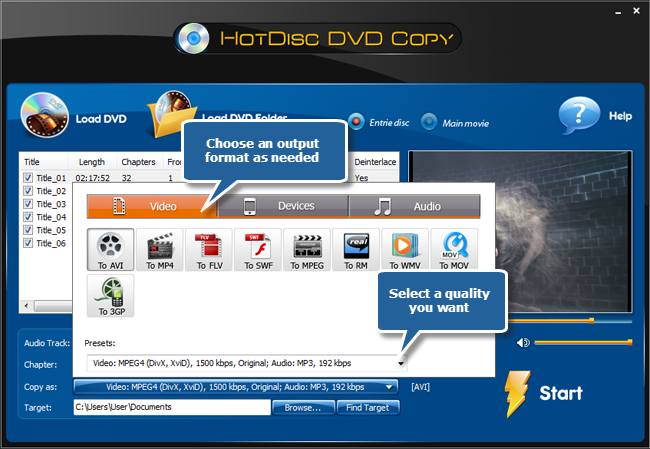
Click “Video” tab to specify an output format. “Devices” and “Audio” are also supported. You can choose output setting with well-configured presets for more precise output quality adjustment to meet your demands.
Step 5. Select output folder
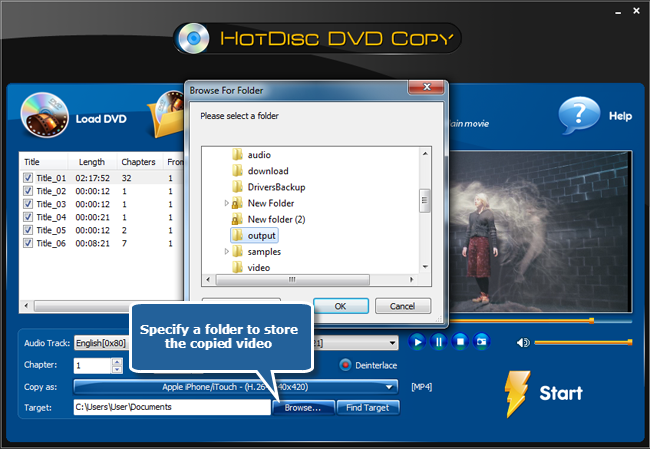
Click “Browse…” to select an output directory from your computer to save the copied videos so that you can find them easily after ripping.
Step 6. Rip Video DVD
Click “Start” to start ripping. Then, you can see the progress bar of the ripping. When the ripping is finished, you can click “Find Target” to open the output folder to enjoy your favorite DVD videos.