MEFMedia software awards
Excellent software is just the start.
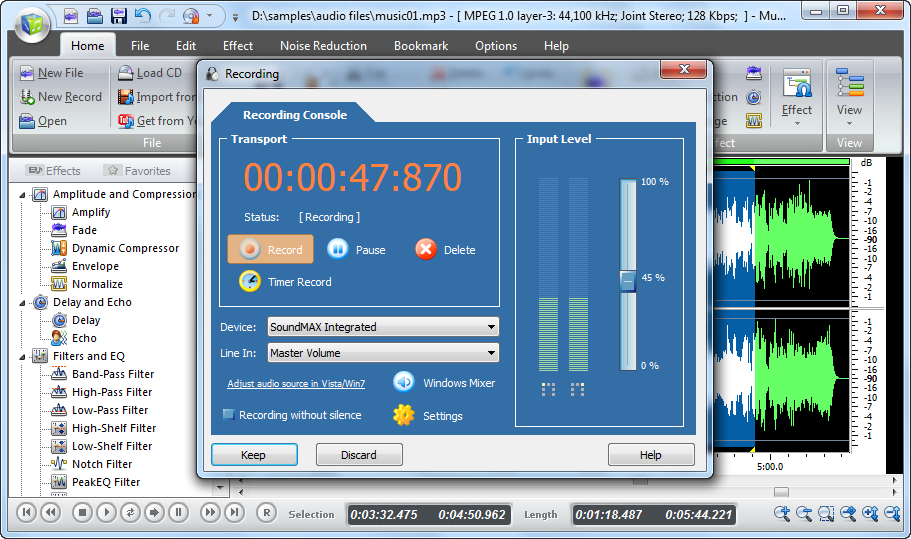
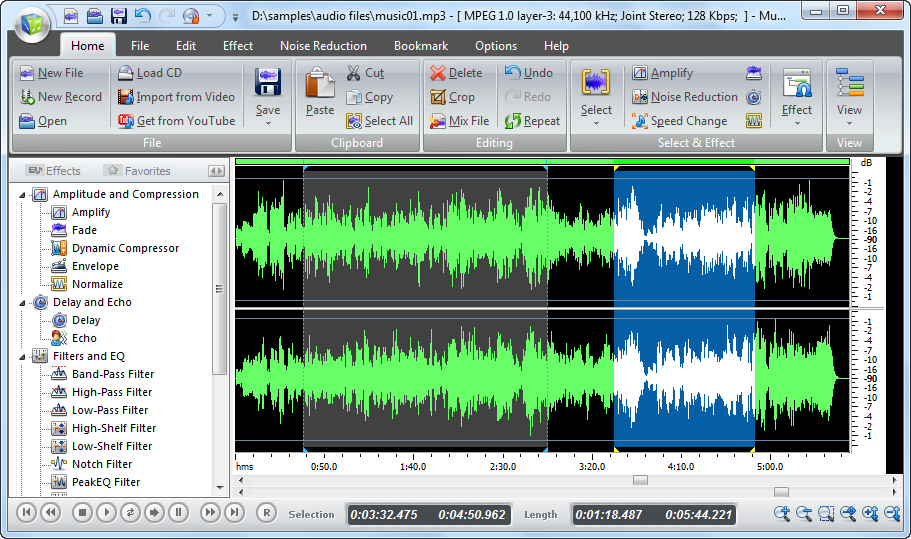
Music Editor Free

Softonic's Review
Picking out the right tool
for audio editing job could be tricky. Music Editor Free is actually
a full-fledged audio package and is absolutely free. It provides
almost everything you may need for the audio creation, editing,
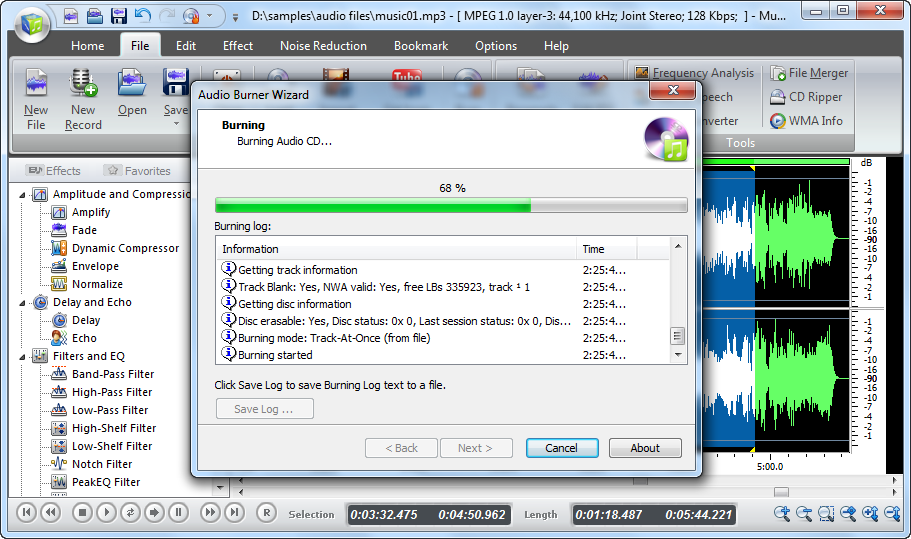
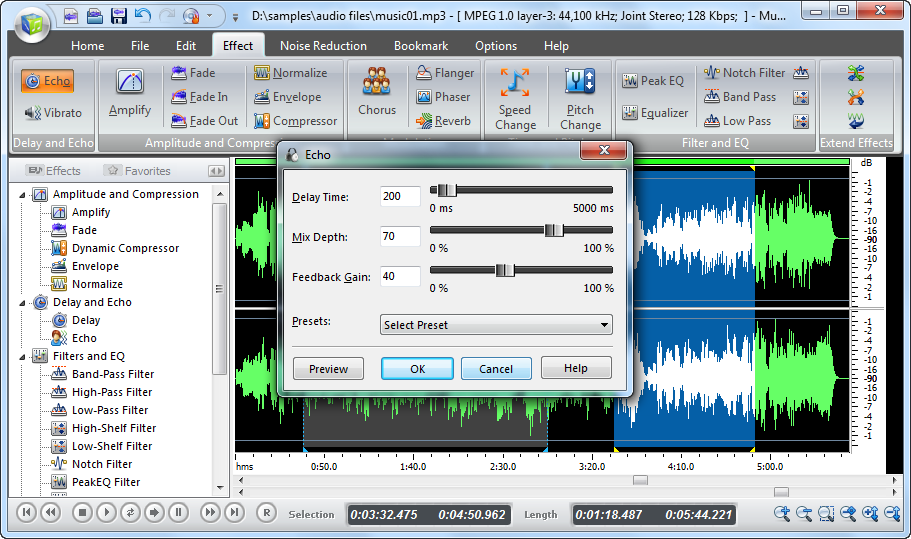
audio effects, CD burner and many pro tools for analysis. If you
are trying to find an easy multifunctional editor with visual interface,
Music Editor Free is a good one to try.


Brothersoft Editor's Pick
Music Editor Free has leaped
to the top of our audio editor list with its clean interface, excellent
features, and support for 32-bit floating-point audio. It succeeds
at being both feature-rich and flexible, while keeping the toolbar
and work space uncluttered. You can see buttons of all the functions
you need but meanwhile, there are also dropdown menus to perform
operations. 

SnapFiles Very Good award
With a handful of basic
features & sleek interface, Music Editor Free makes everything editable
right from the main window without the hassle of digging through
menus or stumbling over vague-looking icons. You can just drag and
drop the audio files you want to edit. There are built-in audio
CD burner, ripper and eraser tools. This editor is comparably thoughtful
for audio creation, distribution and backup.


ComputerBild
Music Editor Free does have
a good sound recorder, providing time recording. The working space
looks neat and comfortable. The performance of most functions is
quick - even CPU-hogging tasks such as saving to MP3 or applying
complex effects. Its usability and price set this freeware wonder
above the crowd. 
Disc Create Express

FindMySoft 5 Star
Disc Create Express is CD/DVD
burning software that works with Windows. It can be the comprehensive
solution for backup and creating data and multimedia disc for you.
The interface is so clean that there's nothing to confuse you. A
complete beginner also would be able to get started with it quite
easily. 

SoftPedia Excellent award
A nice and helpful software
which burns the Music CD directly from MP3/OGG/WMA/WAV files and,
in just a blink of an eye, you will get a best quality CD with the
wanted music. The video DVD burning feature is quite impressive.


PCWorld's review
Disc Create Express consists
of tools for authoring CDs and DVDs for music, photos, movies, ISO,
data and so on. It helps you find the right tool for your desired
task. Just enter what you want to do and it launches the appropriate
application. 

Softonic outstanding rating
As the name says, the application
is designed for CD DVD disc creation. The program does its job very
good and the menu is understandable for everyone, including the
beginners who have never done this before. It can write multisession
CDs. Every session is mounted as a separate volume. This is very
useful when you use an incremental backup mode.

VidMate Video Converter

FamousWhy Editor's Pick
VidMate Video Converter
has the potential to be popular in the future since our editor found
it power and cost effective after the test. The whole conversion
progress is very easy without any troubles even if for the beginners.


DownloadAtoZ Editor's Pick
After installation, you
will see an intuitive interface. The converter enables user to change
the color of the skin and almost 50 different languages are available
to select. It provides specific instructions of what to do: Add
files, Set output qualities and Convert. When click Help at the
bottom, the support page of VidMate Video Converter will appear
and you will find some useful tips.


PC Utilities Recommended
A useful tool taking complete
care of all the video conversion from one format to the other. High
compatibility and high efficiency for importing RMVB or RM video/audio.
Even the beginner of video copy and conversion can download, install
and use this program immediately while its capabilities can satisfy
the most advanced users, too.


Freetrialsoft 5 Star
As a easy to use converter
which supports most frequently seen formats, VidMate is still a
good choice for you. This video converter proves vital space saving
application by converting the older video and movie formats into
latest compact formats. The best part of the application is where
an individual can apply quality presets without dealing with complicated
parameters. 
SoundTaste Audio Converter

Computer Buyerz
Neat and simple interface
allows you to enjoy working with audio files without frequently
consulting with the reference materials. Once you get started you
will be surprised at how simple it is to convert audio files. All
the tag information that carries the details about the album artist,
etc. can be easily transferred from the source to the destination
file. Conversion is done in a batch.


PC World Reviewed
You can't play all your
favorite music on your media player because it doesn't support all
formats. You need to have music file in the format which your music
player supports. That's what SoundTaste Audio Converter is for -
you can perform conversion of your music to MP3, WMA, WAV and OGG.
If you are an experienced user, just configure the quality parameters
as needed; if not, using the presets provided could be a good idea.


Freetrialsoft 5 Star
SoundTaste Audio Converter
is a very useful program to convert your audio file without compromising
on quality. The conversion happens on-the-fly meaning that you do
not need to convert first to an intermediate format at all. The
tool is Windows 7 compatible for both 32 and 64 bit versions. Every
audio enthusiast could use a tool like this!


Ivertech 5 Star Award
Well, we think it's best
to keep it simple and pick something that focuses on a basic function,
without trying to be a multi-purpose application. This is why we
decided to direct our attention to the SoundTaste Audio Converter.
It's pretty fast and you will be pleasantly surprised at how easy
it is to work with. The progress bar indicates clearly how much
of a batch has been converted and how the conversion on the current
one is progressing. If you really want something that works and
does its job, then you might want to consider giving SoundTaste
Audio Converter a spin. 
HotDisc DVD Copy

SnapFiles Very Good award
All your favorite video
DVDs can be stored in the original quality. This task may appear
to be difficult but with HotDisc DVD Copy everything seems much
easier. You can easily accomplish complex quality settings in a
very simple manner. Barrett Powell


Brothersoft Editor's Pick award
HotDisc DVD Copy opens with
a neatly organized interface with the chief options placed at top
right and the main screen displaying the main options for ripping
movies from DVD and a previewer. The blue hued background with big
icons on top gives the interface an interesting look and facilitates
smooth navigation. The application is capable of extracting video
from the DVD to all possible formats like AVI, MP3, WMV, RM, FLV
and 3GP, etc. 

DownloadAtoZ Editor's Pick
HotDisc DVD Copy is prepared
for DVD-Audio as well and the Music conversion menu stands as proof.
This means that you can rip music from DVD discs or just the audio
track. It'll save to MP3, WMA, WAV, OGG, FLAC and more formats.
Working with the output parameters is easy as you benefit from a
set of predefined profiles that do not leave room for error.


Ivertech 5 Star Award
As far as the ripping capabilities
of the software are concerned, HotDisc DVD Copy allows you to save
a 1:1 copy of the movie, convert it to AVI, MP4, MPEG, WMV, FLV
or to MP3 (lose the video and preserve the sound). Or you can get
it ready for devices such as iPod, iPad, iPhone, Apple TV, PSP,
mobile phones (3GP)... To make it an extraordinarily easy process
for you, the application comes prepared with sets of profiles for
you to choose from according to how good you want the quality of
the resulting file to be. Ever since its release, HotDisc DVD Copy
has turned into the new easy hype.